Threat detection: rules
Threat Detection > Rules lists every detection rule, grouped into three tabs by how it detects: Adaptive Machine Learning, Deep Packet Inspection, and Industrial Deep Packet Inspection. Three KPI cards above the tabs show how many rules are enabled, and how many MITRE ATT&CK tactics and techniques your enabled rules cover out of the total the catalog addresses. See Detection model for what a rule is and how it maps to MITRE ATT&CK for ICS.
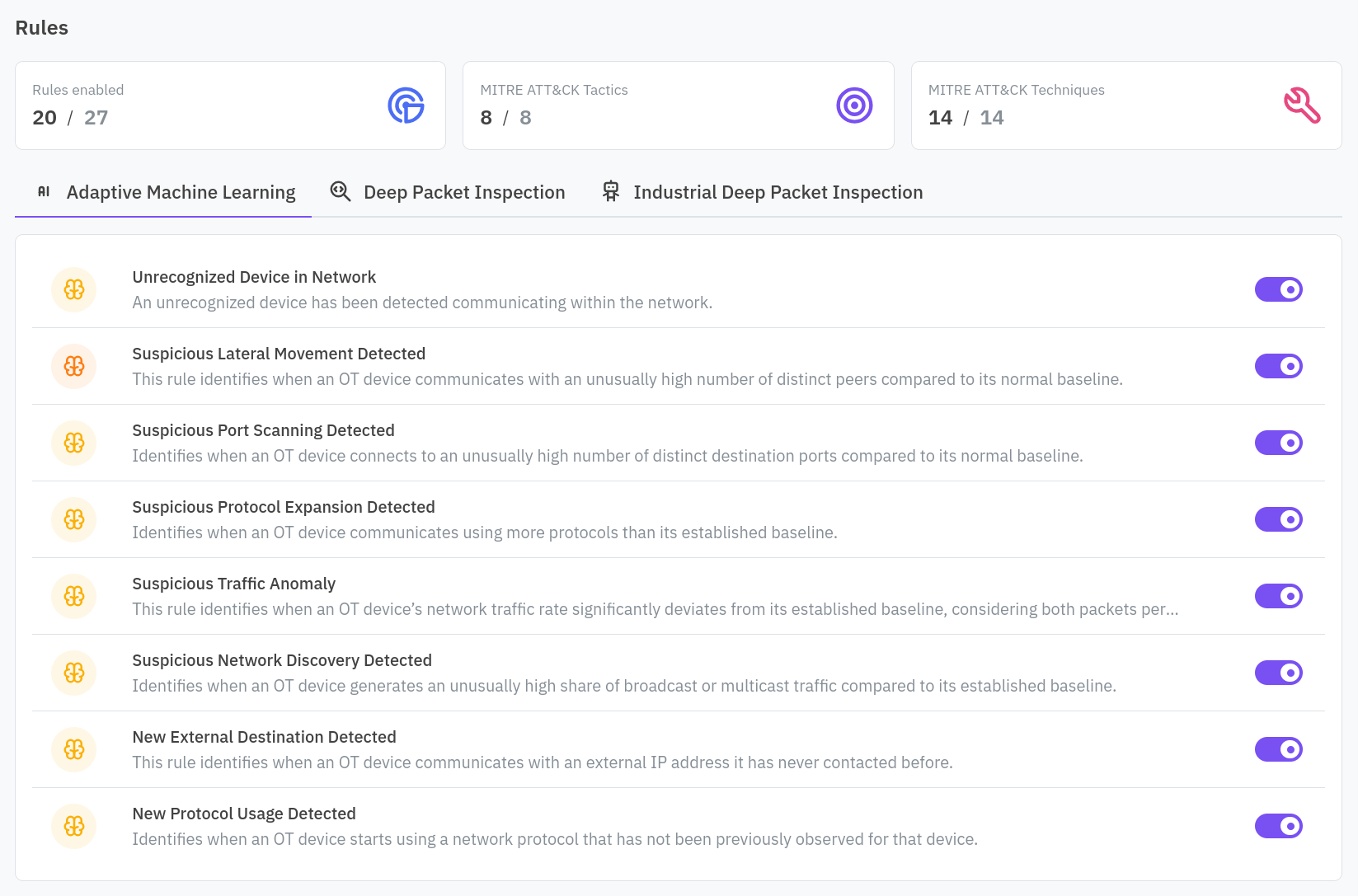
Click a rule to open its detail, toggle it on or off with the switch next to its name, top right.
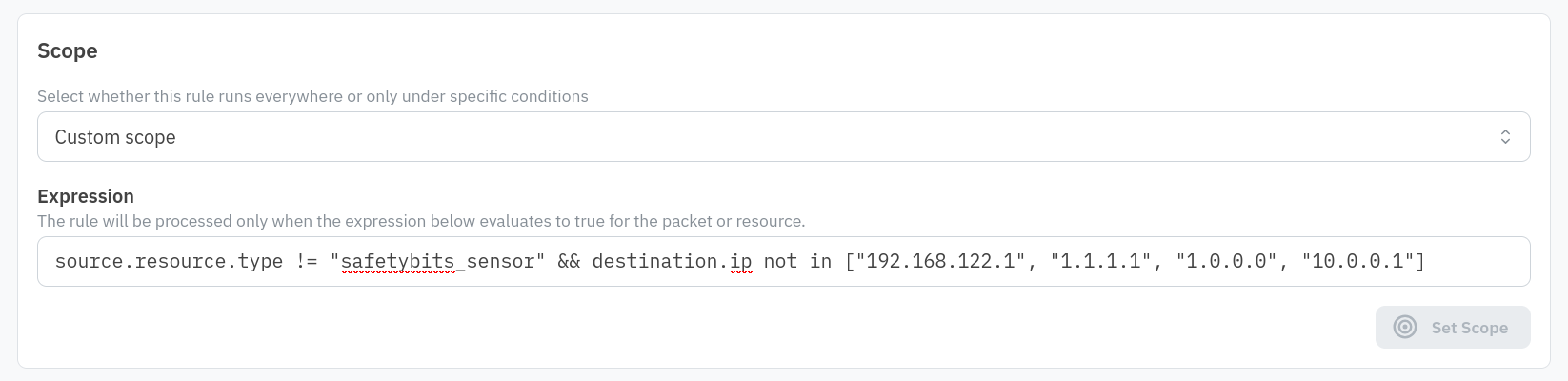
Scope
Choose whether the rule runs against all infrastructure, or only under a custom scope: an expression evaluated against each packet or resource, matching for example a source or destination IP, a CIDR range, or a resource’s type or tags.
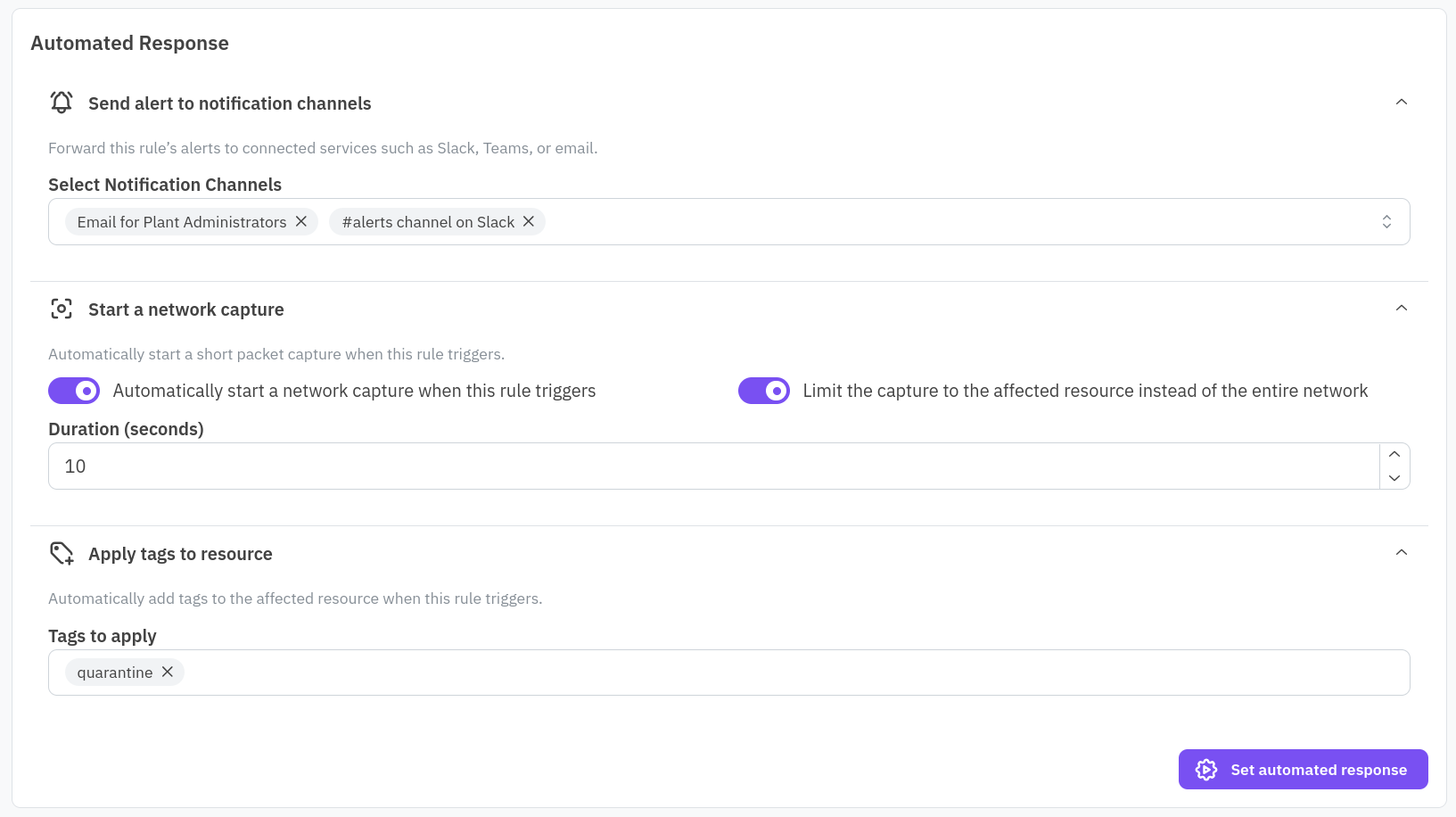
Automated response
Configure up to three things to happen automatically when the rule triggers, each in its own panel: send the alert to one or more notification channels, start a short network capture (optionally limited to the affected resource instead of the whole network, 5 to 60 seconds), and apply tags to the resource that triggered it. See Settings for setting up a channel first if none exist yet.
Parameters
A rule with tunable parameters, for example an IP allowlist or a country allowlist, shows a Parameters card where you can adjust them without touching the scope expression. Add a trusted external IP here, for instance, so legitimate traffic to it stops triggering the rule.
Alerts Happened
The bottom of the page lists every alert group this rule has generated, so you can see the effect of a scope or parameter change directly against real activity. See Alerts for triaging one.