Threat detection: alerts
Threat Detection > Alerts groups related alerts so you review a cluster of activity rather than every individual alert. See Detection model for how alerts get grouped and what triggers them.
An Alerts per day chart and an Alerts by rule chart sit above the list. Each row shows the alert group’s output, the source and destination involved, how many alerts it contains, and when it was first and last seen. A gray “Excluded by Scope” badge marks a group whose rule no longer applies to it, kept for visibility rather than acted on.
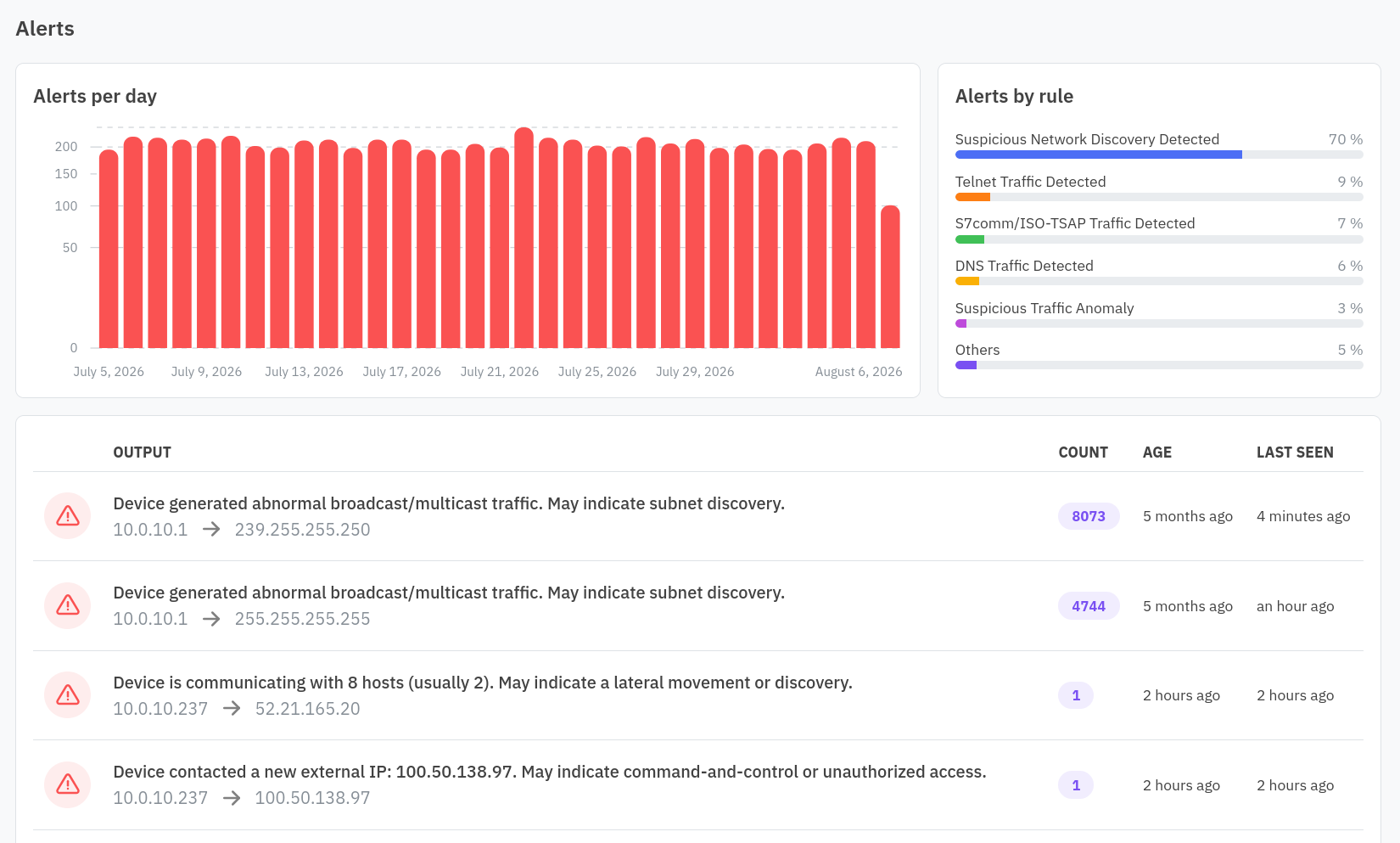
Investigating an alert group
Click a row to open its detail: an Alert Volume Over Time chart, then First Seen At, Last Seen At, Count, the affected resource (linking to its detail view), the flow involved, and the rule that triggered it (linking to the rule’s detail).
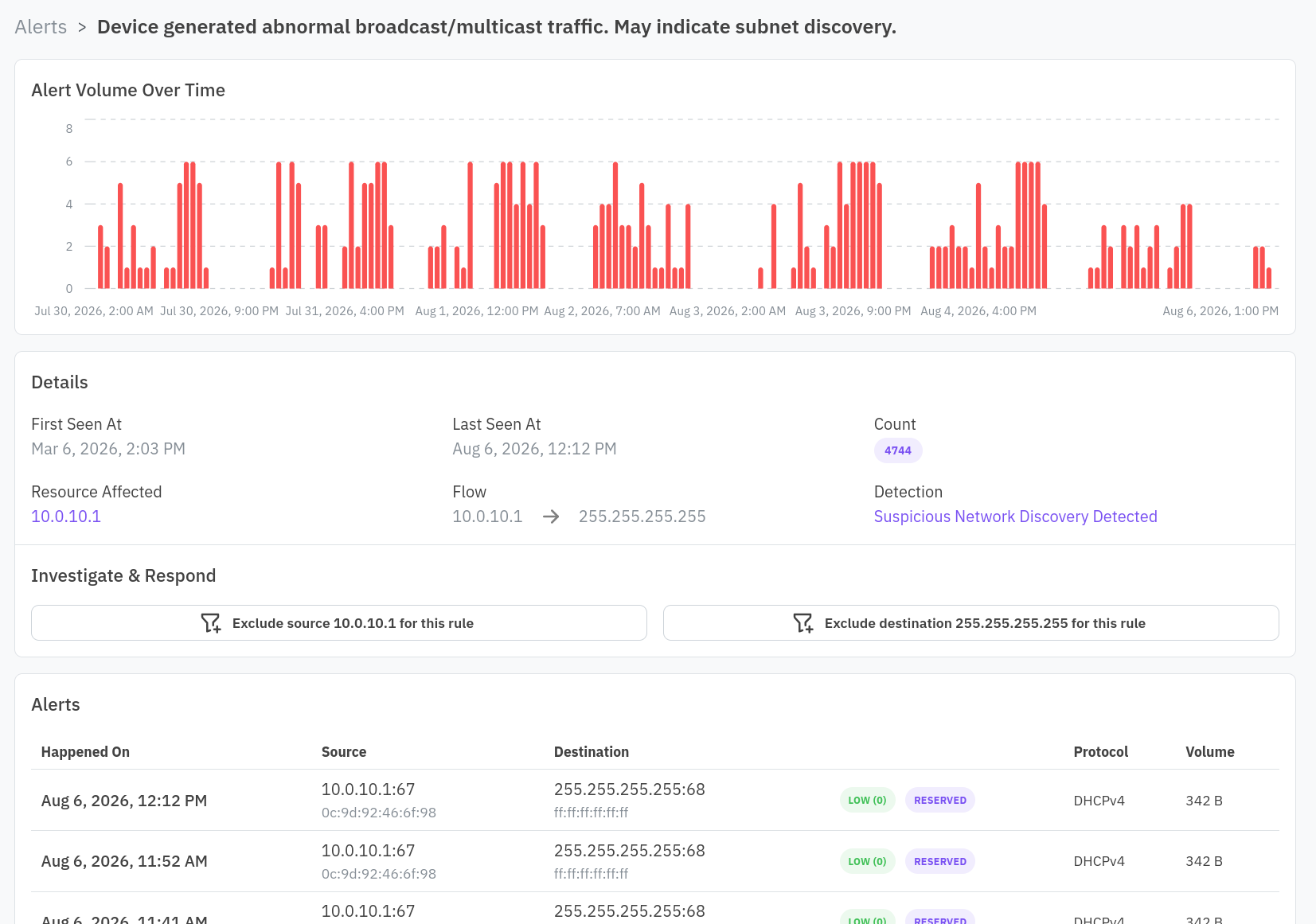
If the group is still in scope, an Investigate & Respond section lets you exclude the source IP or the destination IP from this specific rule. Use this when the traffic is legitimate for this pair of addresses but you still want the rule to fire on everything else.
Below that, the individual alerts in the group each show their timestamp, source and destination (with a country flag when the IP resolves to one), protocol, and volume, so you can see the raw activity behind the aggregate.