Risks: compliance
Risks > Compliance lists every benchmark the platform ships, with its short name and version, applicable country flags, and a switch to enable or disable it for this facility. See Risk model for the full list of benchmarks and how a score is computed.
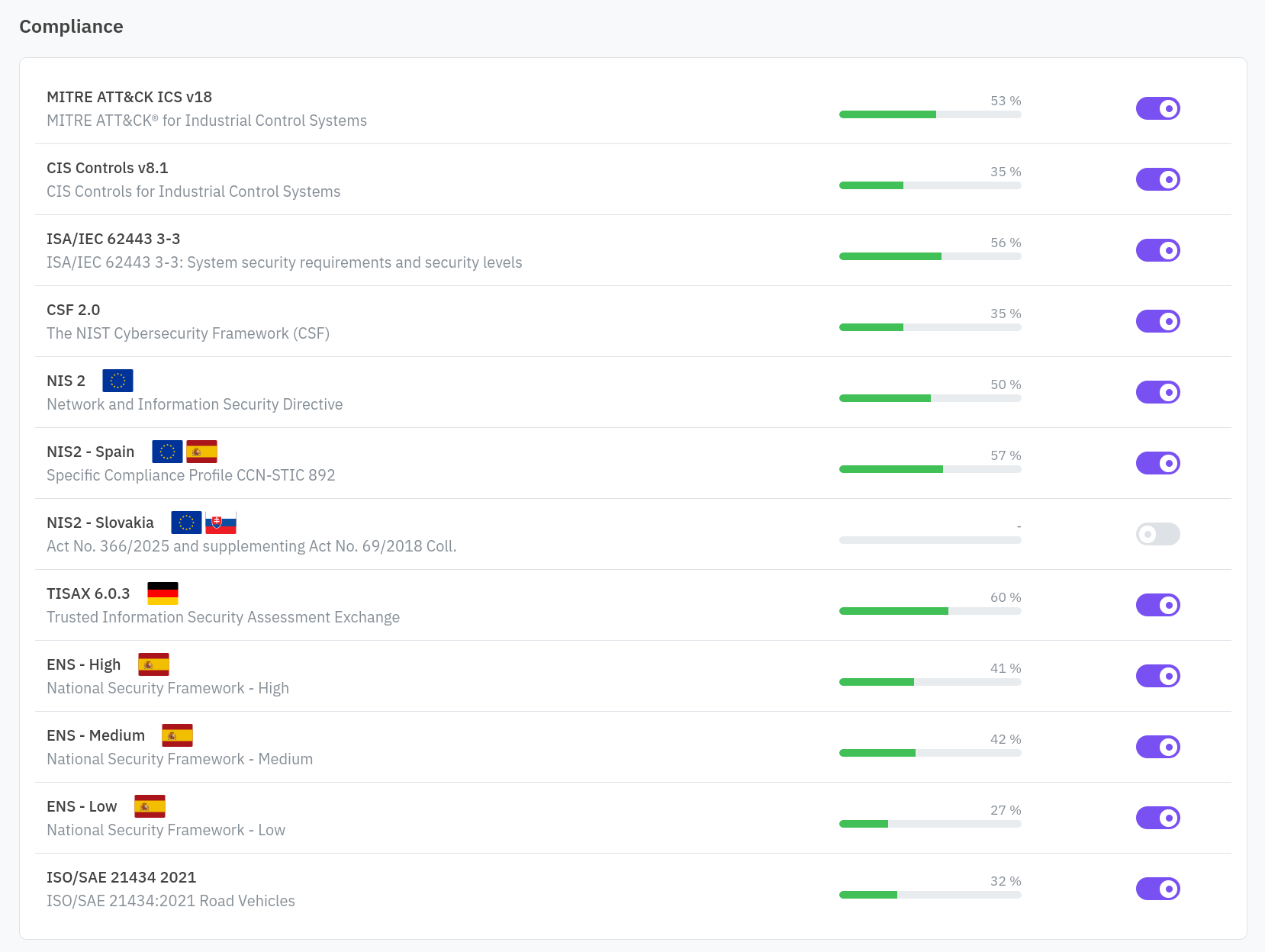
An enabled benchmark shows its current score as a progress bar, computed from the latest snapshot. Click a benchmark’s name to open its report.
Reading a report
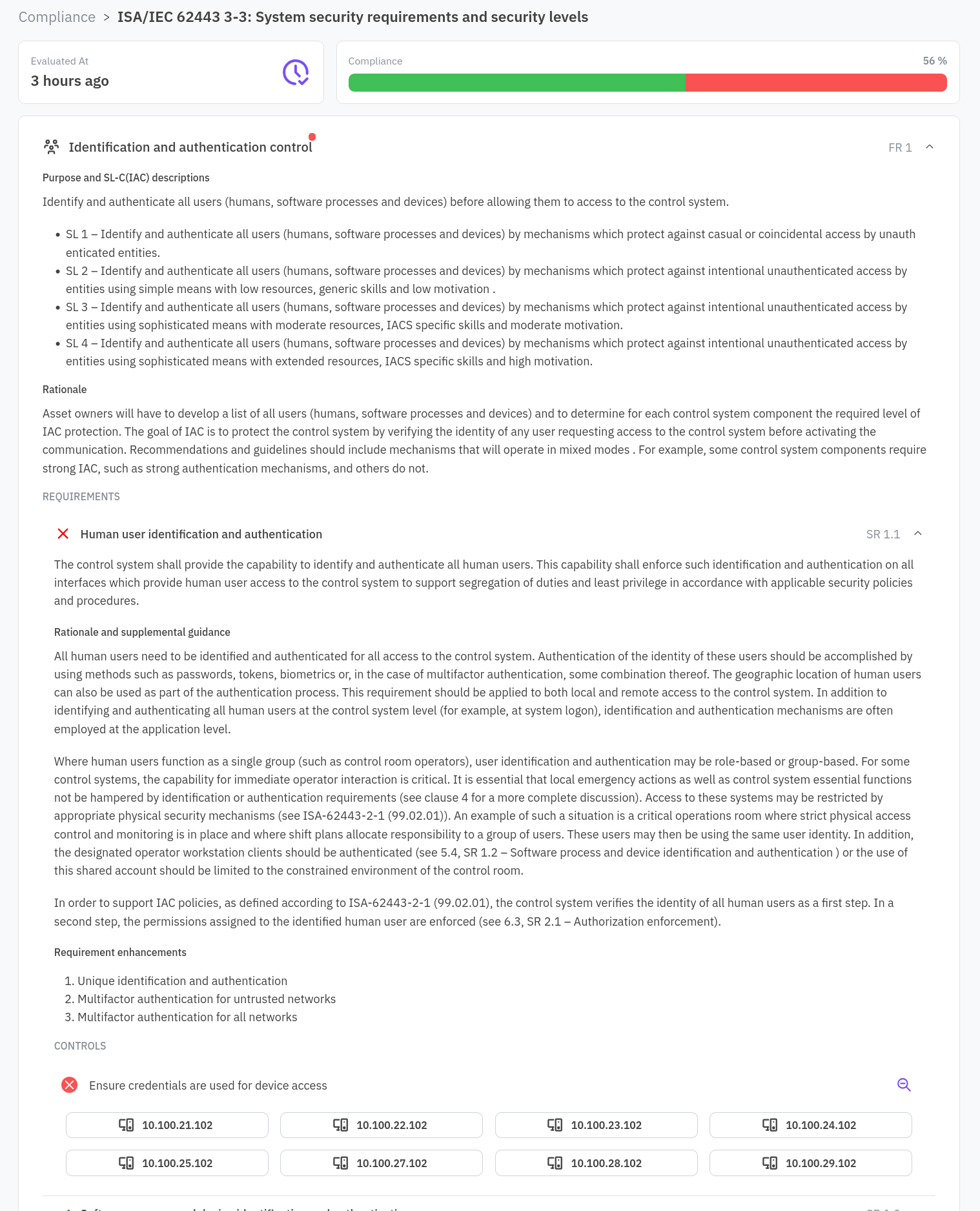
A report nests the benchmark’s structure: sections, subsections, and requirements. Failing sections and requirements expand automatically so you see what needs attention first. Each requirement shows the controls it depends on and whether they currently pass, or, for a requirement that asks for evidence instead of a control, whether evidence has been attached.
Some benchmarks show a dismissible disclaimer above the report, for context the framework owner requires you to see before reading the detail.
Attaching evidence
A requirement that asks for evidence rather than a control shows an upload control instead of a pass or fail state. Attach a document (PDF, DOCX, PNG, or JPEG, up to 5 files) that demonstrates you meet the requirement; once attached, the requirement counts as passed for scoring. You can replace or download the attached evidence later from the same place.