Global overview
The Global overview aggregates resources, alerts, and findings across every facility your account can see. Open it from the account menu (top right of any facility page), or land there automatically after login if you have access to more than one facility. See Quickstart for the exact login behavior.
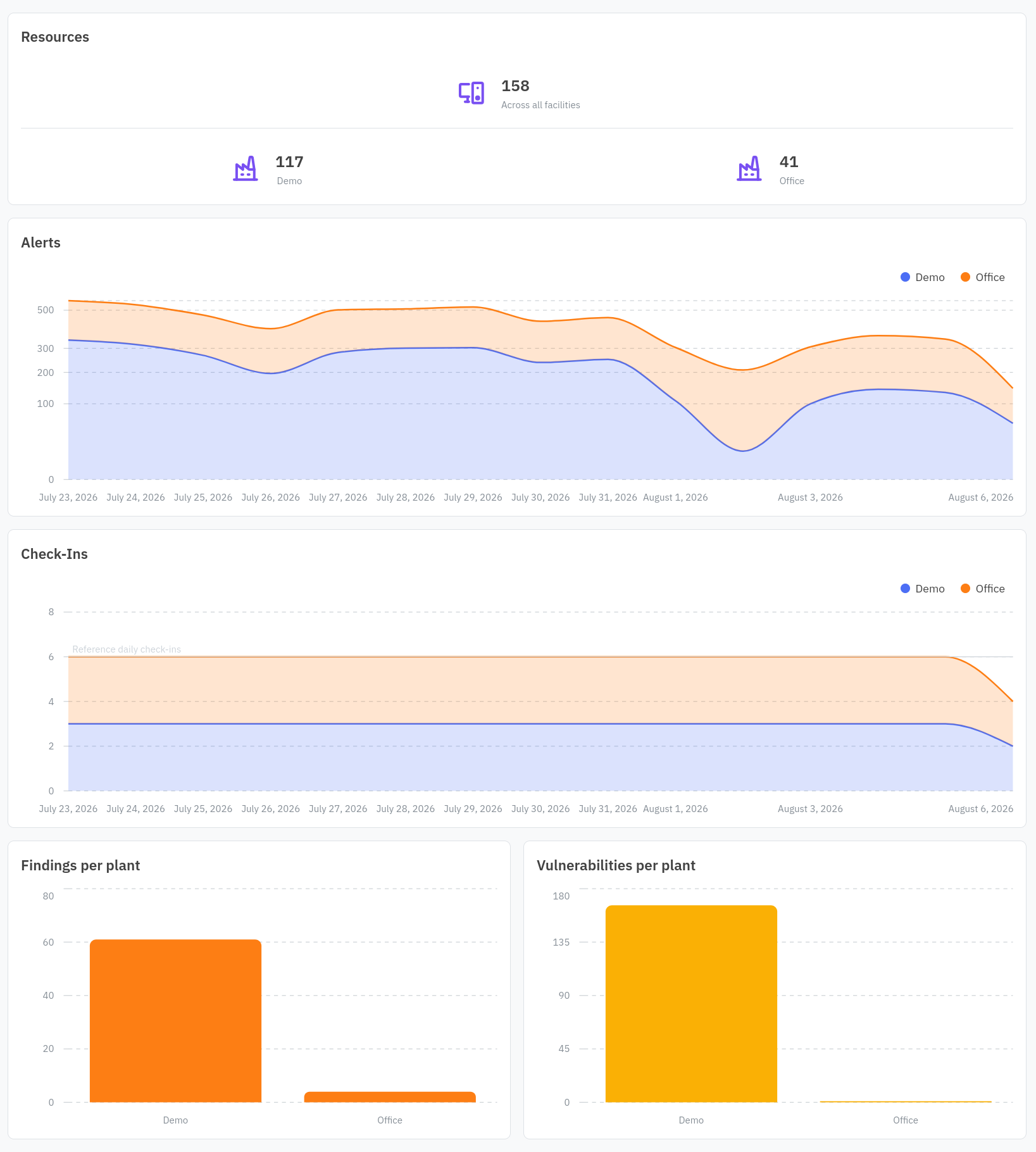
A Resources card totals resource count across all facilities, then breaks it down per facility with a link into each one. Below it, an Alerts chart and a Check-Ins chart plot activity per facility over time, and a two-column Findings per plant and Vulnerabilities per plant chart round it out.
Use this page when you are responsible for more than one plant and want to spot which one needs attention before diving in. Once you know which facility that is, click into it to work the Overview dashboard, Inventory, Risks, or Vulnerabilities for that facility specifically. See the glossary for how facility and account relate.