Detection model
Rules are the building blocks of detection. A rule defines what to look for. Each rule has a name, a description of what it detects, a type, and optional parameters that let you tune its behaviour. These parameters include allowlists of IPs or countries that should not trigger the rule. Rules map to MITRE ATT&CK for ICS tactics and techniques. This mapping lets you see which attack patterns each rule addresses.
Each rule also has a scope: an expression that determines which resources it evaluates. A scope can match on the source or destination IP or CIDR range, or on the matched resource’s type or tags.
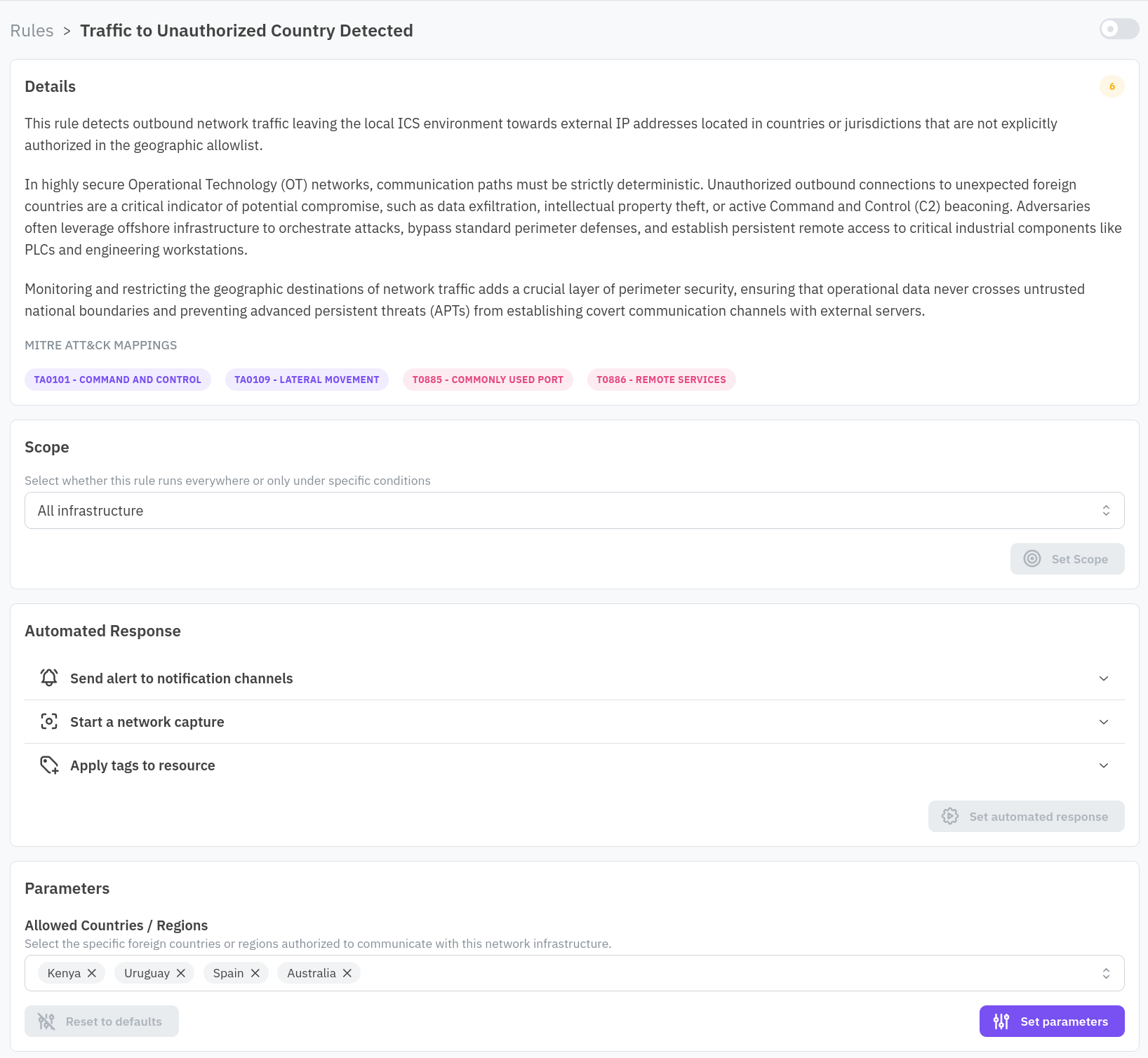
You can enable or disable rules per facility and customize their parameters. For example, you might add a trusted external IP to an allowlist so that legitimate traffic to that IP does not generate alerts.
When a rule matches observed activity, it generates an alert. This observed activity might be a network flow, a device behaviour, or a configuration state. Each alert records what triggered it, the resource involved, and the timestamp.
Alert groups reduce noise by aggregating alerts. An alert group collects related alerts. This includes alerts for the same rule, the same resource or related resources, and within a time window. You review a cluster of related activity rather than dozens of individual alerts. This is how the Threat Detection view presents alerts in the console.
Alert groups can trigger automated responses. Available responses include network captures, Slack messages, syslog forwarding, and email notifications. The responses that trigger depend on how you configure the rule’s response actions.
Three mechanisms help you manage alert volume. First, snoozing temporarily suppresses new alert groups for 30 minutes. Alerts that occur during the snooze period are still recorded and you can review them later. Second, scope exclusion narrows this expression to exclude specific resources or network ranges from a rule’s evaluation, so they no longer trigger that rule. Finally, disabling a rule turns off the rule entirely for a facility.